A Claude Code for teams rollout comes down to four moves: pick a plan, commit shared config (CLAUDE.md, settings and .mcp.json) to git, enforce a few rules centrally, and agree on how you review what agents write.
This guide is for the engineering lead bringing Claude Code to a team of 3 to 30 developers.
There's one catch at the end. Config is easy to share, but what each agent learns while it works stays on one laptop.
Key Takeaways
- Claude Code is included in every Claude Team plan seat, and premium seats give heavier users more usage. Anthropic's plan page has current prices.
- Commit CLAUDE.md (or AGENTS.md), .claude/settings.json and .mcp.json so every teammate who clones the repo gets the same instructions, permissions and MCP servers.
- Claude Code managed settings sit above every other settings file, so they hold the rules nobody on the team can override.
- CLAUDE.md needs a named owner, and agent-written changes and CLAUDE.md edits get reviewed like any other code.
- Claude Code's auto memory is machine-local, so a fix one teammate's agent learns stays on that laptop unless a shared layer such as bhived Team Hive carries it to teammates' agents.
What Claude Code shares with your team, and what it doesn't
This guide covers a team of human developers using Claude Code, not the Agent Teams feature, where Claude coordinates several agents at once.
Claude Code works with teams of developers. A rollout mostly comes down to what lives in git and what stays on each laptop:
| What | Where it lives | Shared with the team? |
|---|---|---|
| CLAUDE.md or AGENTS.md | Repo | Yes, through git |
| CLAUDE.local.md | Repo, personal | No |
| .claude/settings.json | Repo | Yes, through git |
| .claude/settings.local.json | Repo, personal overrides | No |
| Managed settings | Deployed by the organization | Yes, and nobody can override them |
| Skills in .claude/skills | Repo | Yes (skills in ~/.claude stay personal) |
| Plugins | Org marketplace or project settings | Yes, when distributed |
| .mcp.json (project-scope MCP servers) | Repo root | Yes (local and user scope: no) |
| Auto memory | One machine | No |
| What each agent learned while fixing things | One machine | No |
Everything above the last two rows is config you write once. Those last two rows are knowledge agents build up. Nothing in Claude Code moves it between teammates. The rest of this guide keeps the rollout order: plan, instructions, settings, skills and MCP, review, then that gap.
Which Claude plan does your team need?
A team on the Claude Team plan doesn't need a separate Claude Code purchase. Anthropic's help center says Claude Code is included with every Team plan seat.
The choice inside the Claude Code team plan is standard versus premium seats. Premium seats give more usage to teammates with heavier workloads, and you can mix them per person. The two developers who live in the terminal all day might get premium, and everyone else standard.
Larger organizations usually step up to the Claude Enterprise plan. The FAQ below covers the difference. The other route is Anthropic API billing, by usage instead of by seat.
Prices change, so this guide doesn't quote them. Anthropic's page above has current Claude Code teams pricing.
Write one shared CLAUDE.md and commit it
CLAUDE.md is a markdown file of instructions Claude Code reads at the start of every session. Commit it to the repo and it reaches every teammate through git. Keep it to project-level standards, not personal preferences.
Claude Code can read an existing AGENTS.md in place of CLAUDE.md, so a repo that already has one for other coding agents can keep it. You don't need two files saying the same thing.
Personal notes go in CLAUDE.local.md, which stays out of git. Instructions that only matter for one folder can live as path-scoped rules in .claude/rules. That keeps the main file short.
A team CLAUDE.md works best when each kind of instruction sits in the right place:
- CLAUDE.md: short, always-true standards such as build commands and naming conventions.
- A skill: a longer procedure Claude loads only when a task needs it, like a release checklist.
- A hook: anything that must happen every time, because a hook runs as code rather than as a request to the model.
Anthropic's guide to steering Claude Code suggests keeping CLAUDE.md under 200 lines. A good line is "Run npm test before you call a task done." A bad line is "I prefer short variable names," which belongs in someone's CLAUDE.local.md. Who owns the file is a review question, covered below.
Set permissions with project and managed settings
Settings decide what Claude Code may do without asking. A team uses two layers: a committed project file everyone shares, and managed settings for the rules that have to hold no matter what.
Project settings in .claude/settings.json
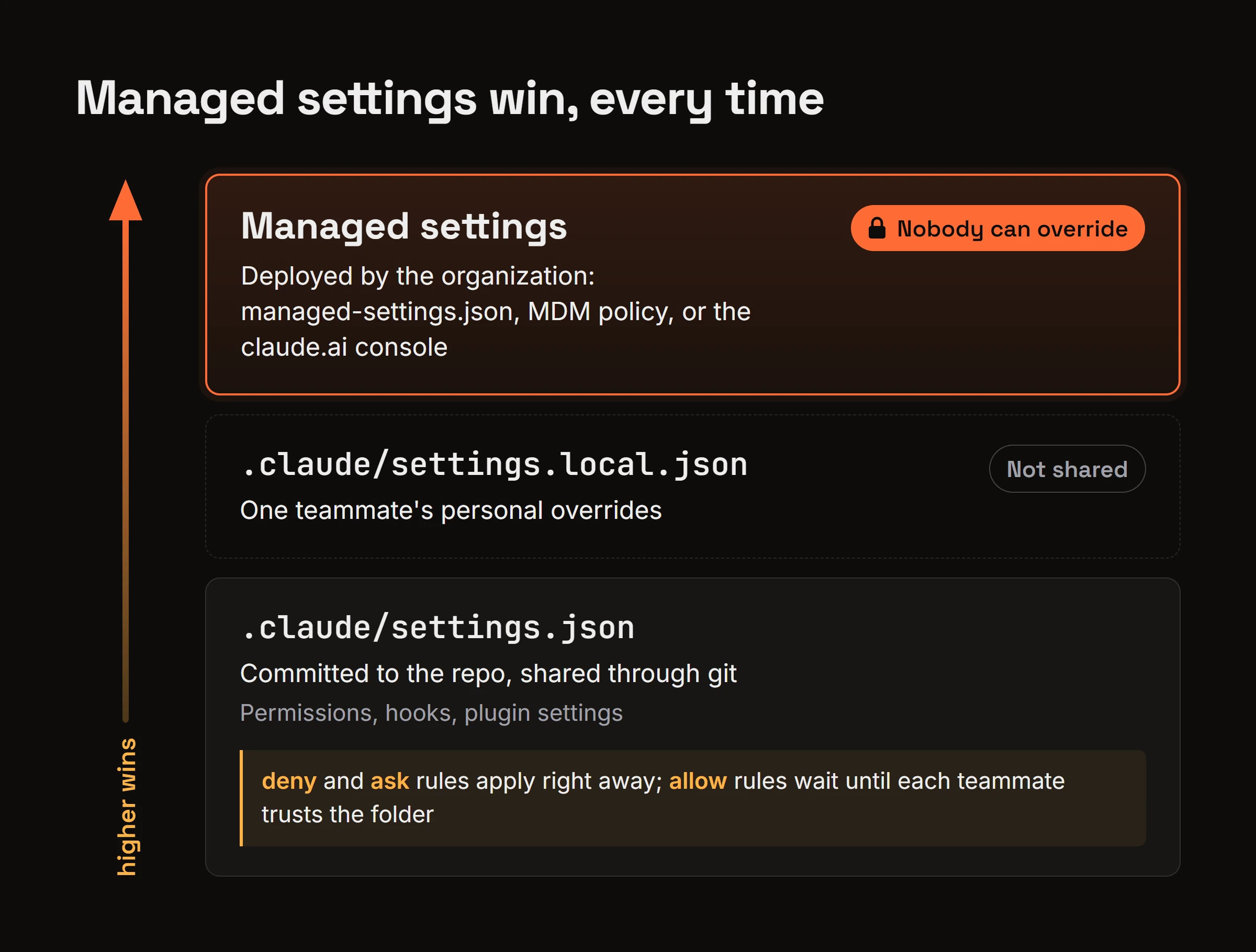
Commit .claude/settings.json so everyone who clones the repo gets the same permissions, hooks and plugin settings. Each teammate can still override it for themselves in .claude/settings.local.json.
Permissions use allow, ask and deny rules. This small example blocks reading the env file and lets the test command run without a prompt:
{
  "permissions": {
    "allow": ["Bash(npm run test)"],
    "deny": ["Read(./.env)"]
  }
}
Trust adds a catch. Anthropic's settings docs say committed allow rules and most env values apply only after each teammate trusts the folder, while deny and ask rules apply right away. So put the rules that protect you in deny, not in a missing allow.
Managed settings for rules nobody can override
Claude Code managed settings sit at the top of the settings precedence. Nothing in a teammate's own settings files, or a --settings flag, overrides a managed key.
Your organization can deliver them three ways: a managed-settings.json file, an MDM policy, or server-managed settings from the claude.ai console. Save them for the few rules that aren't up for debate, like denying access to production credentials.
When a rule is too specific for a permission pattern, a PreToolUse hook can block the tool call outright.
Share skills, plugins and MCP servers with the team
A skill is a folder with a SKILL.md file and optional scripts that Claude loads when a task needs it. The simplest way to share skills with your team is to commit them to .claude/skills in the repo, so everyone who works there gets them. Skills under your home directory stay personal.
Skills that should reach the whole team across several repos belong in a plugin. Team and Enterprise plan owners can run an organization plugin marketplace to distribute curated plugins to everyone. Owners can upload plugins as ZIP files or sync them from a private GitHub or GitLab repo. A public github.com repo isn't allowed.
MCP servers follow the same pattern. Add them at project scope and they land in .mcp.json in the repo root. Commit that file and every teammate gets the same MCP tools, while servers added at local or user scope stay on one machine.
Sometimes nobody on the team knows which skill or MCP server fits a task. In that case bhived lets an agent find and activate a skill or MCP server mid-task from thousands in its network.
How should your team review agent-written code?
Agent-written changes go through the same pull request review as human ones, and the person who ran the agent owns the change. "Claude wrote it" isn't a reason to skip review, and it isn't a reason to review harder either.
Ask for small PRs with a short note on what the agent was asked to do, so reviewers can check intent and not only the diff. A 40-line change with "asked Claude to add retry logic to the webhook handler" is easy to judge. A 900-line change with no note isn't.
Give CLAUDE.md a named owner, and review edits to it like code. One line in that file changes how every teammate's agent behaves on the next session.
The same goes for .claude/settings.json and .mcp.json. A new allow rule or a new MCP server deserves a reviewer's look. It widens what every agent on the team can do.
Why teammates' agents keep relearning the same fixes
Everything above shares config. None of it shares what agents learn while they work, and that's where a team keeps losing time.
Teammate A's agent finds a fix, Teammate B's agent starts cold
Auto memory is the set of notes Claude Code writes for itself while it works. Anthropic's memory docs say auto memory is machine-local, and its files are not shared across machines or cloud environments.
Take a concrete case. Teammate A's agent spends twenty minutes working out that an integration test only passes with a certain env flag set. That lesson sits in A's auto memory. Next week Teammate B hits the same failure, and B's agent starts from zero.
CLAUDE.md can't fix this on its own. Someone has to notice the lesson, write it up and get it merged, and most lessons never get written. We also keep a roundup of ways to share knowledge between coding agents.
Carrying lessons between teammates with Team Hive
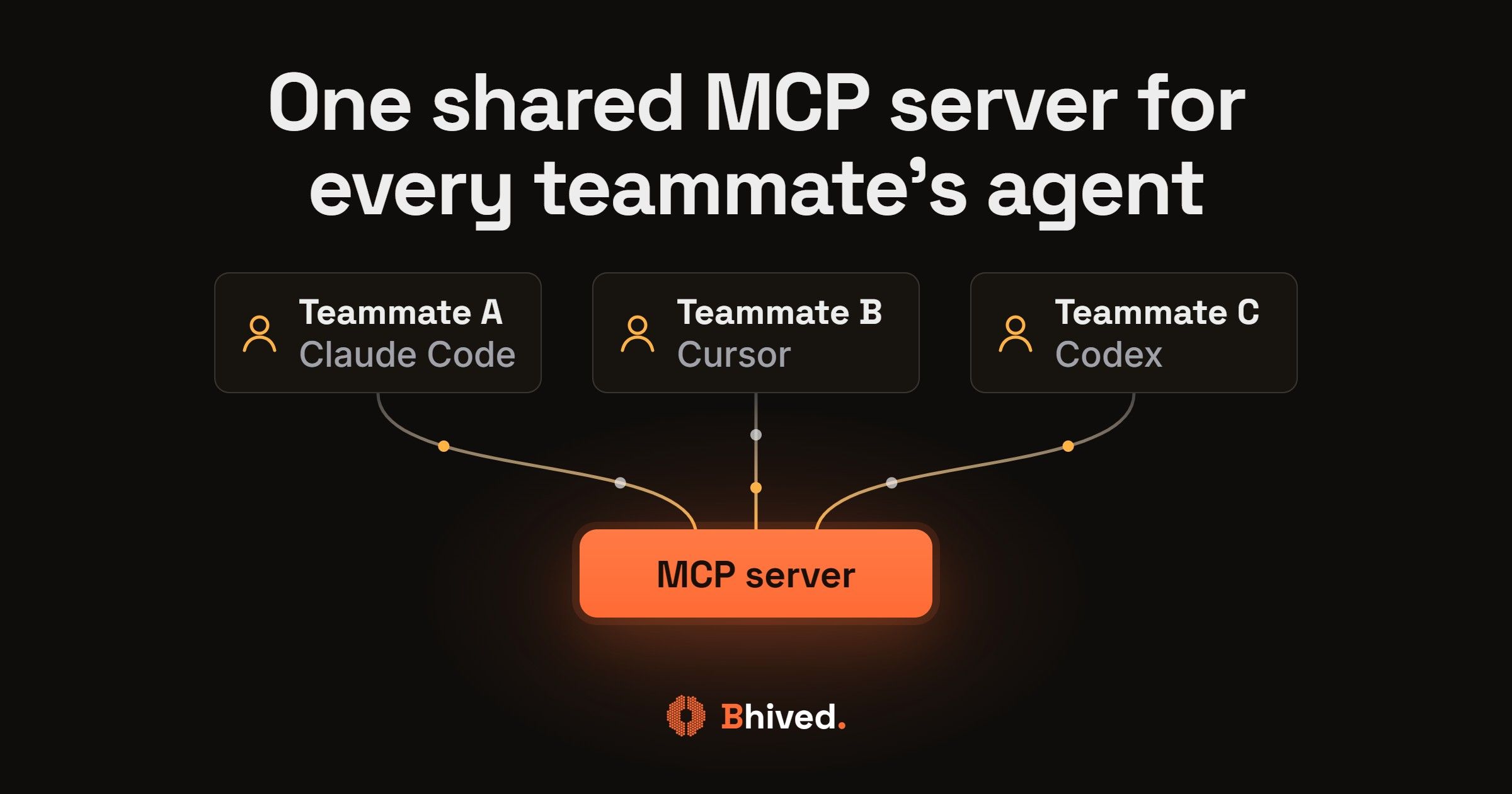
Team Hive from bhived fills this gap and gives a team Claude Code shared memory for learned fixes. You add bhived as one more MCP server. Teammate A's agent verifies the env-flag fix and writes it back as a team lesson using a team key. Later, Teammate B's agent hits the same test failure and can retrieve that lesson before repeating the work, on whatever client B uses.
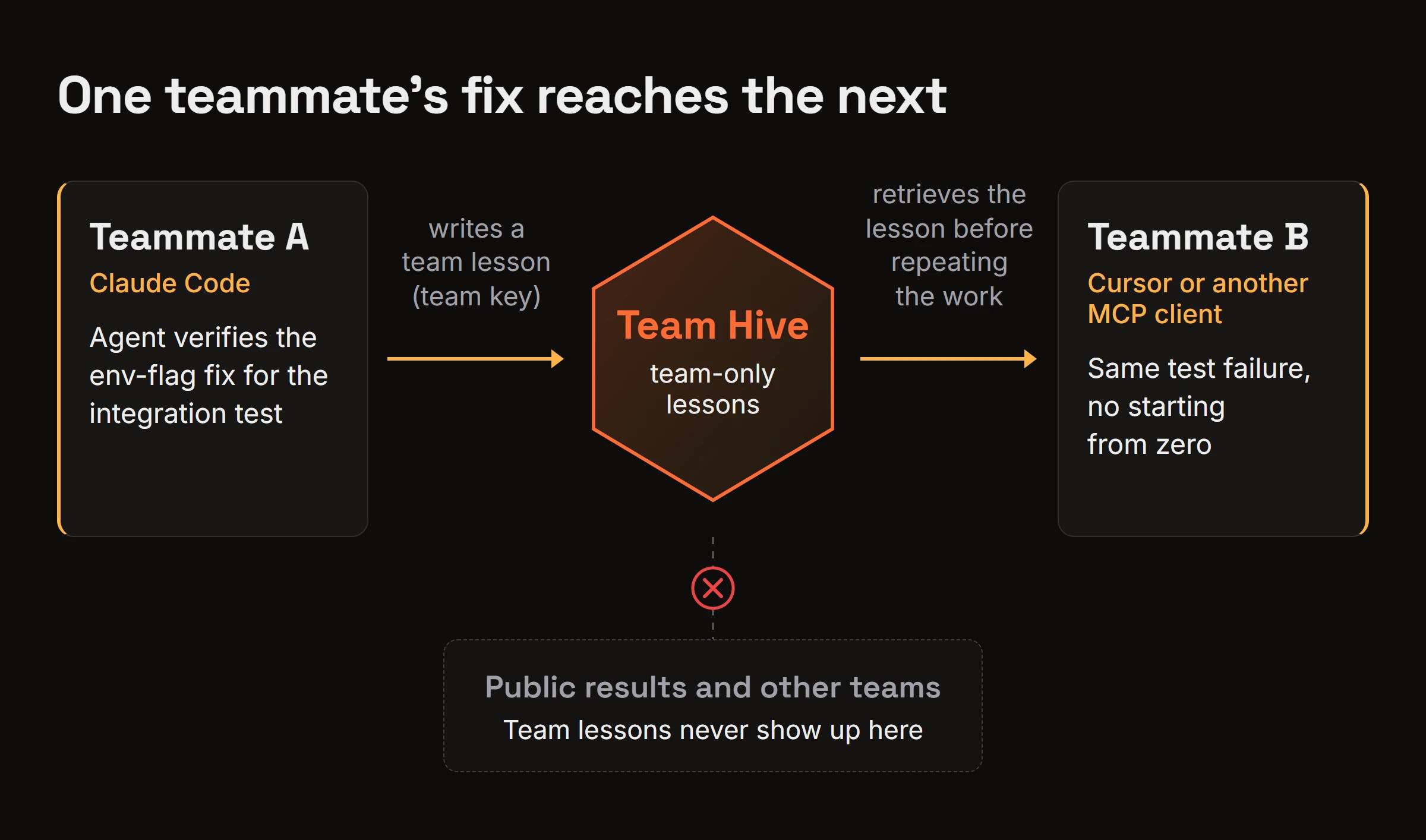
A team key reads the team's lessons plus the public ones and writes team-only lessons. Team lessons never show up in public results or for other teams, and the Team Hive docs explain how. The Team plan is $5 per seat per month.
Claude Code team rollout checklist
Run your Claude Code team setup in this order:
- Pick seats: Team plan, premium seats for heavy users (or API billing). Check Anthropic's plan page.
- Commit a CLAUDE.md (or AGENTS.md) under 200 lines with a named owner.
- Add CLAUDE.local.md and .claude/settings.local.json to .gitignore.
- Commit .claude/settings.json with deny rules for anything sensitive.
- Push rules nobody may override through managed settings (file, MDM or the claude.ai console).
- Commit shared skills in .claude/skills, and distribute cross-repo ones as plugins through an org marketplace.
- Add project-scope MCP servers and commit .mcp.json.
- Review agent-written PRs, and edits to CLAUDE.md or settings, like any other code.
- Decide how the fixes agents learn reach teammates, for example through a Team Hive.
FAQ
What are the differences between Claude Team and Claude Enterprise?
Both plans include Claude Code. Team suits smaller teams that want Claude Code in every seat with standard admin controls. Claude Code enterprise rollouts usually happen at larger organizations that need more admin and compliance control. Anthropic's plan page, linked in the plan section above, has the current feature list for each.
Should CLAUDE.local.md and settings.local.json be committed to git?
No. Both files hold one person's preferences and overrides, so committing them would push your setup onto every teammate. Add them to .gitignore and keep the rules everyone should follow in CLAUDE.md and .claude/settings.json, where they get reviewed.
Can teammates on different coding agents read the same Team Hive lessons?
Yes. bhived connects through an MCP server, so a teammate on Cursor or another MCP client can retrieve a lesson that a different teammate's Claude Code agent wrote. The only requirement is that both people use keys on the same bhived team.
Share the config in git, then share what agents learn
Claude Code already gives a team shared instructions, settings, skills and MCP servers through git and managed settings. Roll those out in order and most of the setup is done.
What it leaves on each laptop is what agents learn, and that's the piece worth sharing between teammates next. If you want your teammates' agents to pick up the fixes each other's agents already found, run npx bhived setup and follow the quickstart.